# Copy Progress Meter
**URL:** https://discourse.ubuntubudgie.org/t/copy-progress-meter/234
**Category:** Budgie Applets
**Created:** [April 14, 2018, 8:17pm UTC](https://discourse.ubuntubudgie.org/t/copy-progress-meter/234 "2018-04-14T20:17:50Z")
**Posts on this page:** 5
**Page:** 1
### Author:  [@PlayBoxTech](https://discourse.ubuntubudgie.org/u/PlayBoxTech)
#### Post date: [April 14, 2018, 8:17pm UTC](https://discourse.ubuntubudgie.org/t/copy-progress-meter/234/1 "2018-04-14T20:17:51Z")
I hope this is the right place to put this, I’m in the process of copying a 2 GB folder from my drive to a USB Flash drive. I was surprised that there is no meter to show the process.
Perhaps this could be added?
---
### Author:  [@fossfreedom](https://discourse.ubuntubudgie.org/u/fossfreedom)
#### Post date: [April 14, 2018, 8:32pm UTC](https://discourse.ubuntubudgie.org/t/copy-progress-meter/234/2 "2018-04-14T20:32:07Z")
you using Files (nautilus) ?
look towards the top of the app - you will see a little symbol when copying. You have to click it to see the progress bar.
---
### Author:  [@PlayBoxTech](https://discourse.ubuntubudgie.org/u/PlayBoxTech)
#### Post date: [April 14, 2018, 8:38pm UTC](https://discourse.ubuntubudgie.org/t/copy-progress-meter/234/3 "2018-04-14T20:38:25Z")
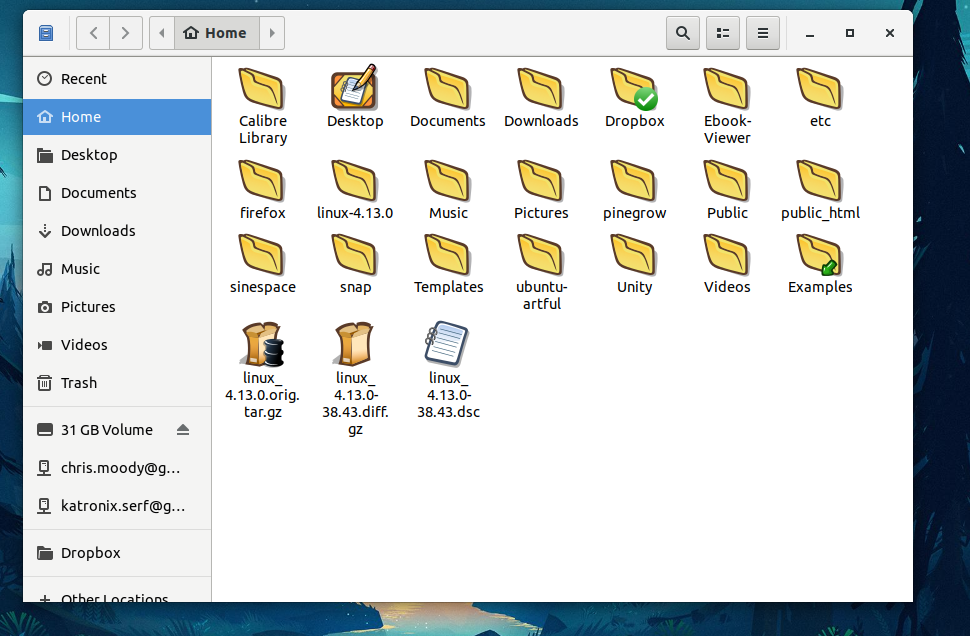
Not sure what I’m using but attached is what it looks like.
While it was copying I didn’t see anything showing progress.
---
### Author:  [@fossfreedom](https://discourse.ubuntubudgie.org/u/fossfreedom)
#### Post date: [April 14, 2018, 9:07pm UTC](https://discourse.ubuntubudgie.org/t/copy-progress-meter/234/4 "2018-04-14T21:07:22Z")
according to this bug-report [https://bugs.launchpad.net/ubuntu/+source/nautilus/+bug/1726516](https://bugs.launchpad.net/ubuntu/+source/nautilus/+bug/1726516)
“that’s not a bug though but an upstream design decision. The copy indicator is a circle icon in the top bar, you can click on it to have the details of the copy.” - comment #4
---
### Author:  [@Iiari](https://discourse.ubuntubudgie.org/u/Iiari)
#### Post date: [April 15, 2018, 1:00am UTC](https://discourse.ubuntubudgie.org/t/copy-progress-meter/234/5 "2018-04-15T01:00:44Z")
Of note, though, is that a progress bar is still present on the Nautilus icon in Plank if you want to multitask and still track Nautilus progress.