Hello,
I have been opening the software updater (GUI) for over a month, and I always get the same message: the software on this computer is already up to date.
The same thing happens if I run:
.$ sudo apt update && sudo apt upgrade
Obj:1 http://archive.ubuntu.com/ubuntu noble InRelease
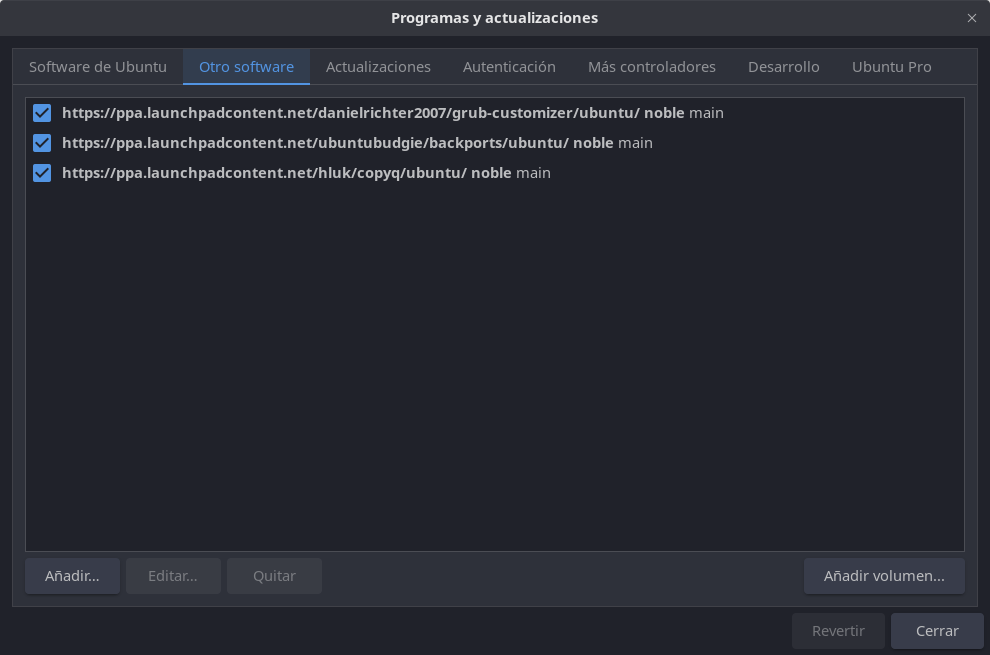
Obj:2 Index of /danielrichter2007/grub-customizer/ubuntu noble InRelease
Obj:3 Index of /hluk/copyq/ubuntu noble InRelease
Obj:4 Index of /ubuntubudgie/backports/ubuntu noble InRelease
Leyendo lista de paquetes… Hecho
Creando árbol de dependencias… Hecho
Leyendo la información de estado… Hecho
Todos los paquetes están actualizados.
W: https://ppa.launchpadcontent.net/danielrichter2007/grub-customizer/ubuntu/dists/noble/InRelease: Signature by key 59DAD276B942642B1BBD0EACA8AA1FAA3F055C03 uses weak algorithm (rsa1024)
Leyendo lista de paquetes… Hecho
Creando árbol de dependencias… Hecho
Leyendo la información de estado… Hecho
Calculando la actualización… Hecho
Get more security updates through Ubuntu Pro with ‘esm-apps’ enabled:
vlc-plugin-qt libvlc5 libmagickcore-6.q16-7t64 libzvbi-common vlc-data
libvlccore9 vlc libavcodec-extra vlc-bin libmagickcore-6.q16-7-extra
vlc-l10n libcjson1 libavdevice60 ffmpeg libpostproc57 vlc-plugin-samba
libgstreamer-plugins-bad1.0-0 libzvbi0t64 libavcodec-extra60
vlc-plugin-notify libavutil58 libswscale7 vlc-plugin-access-extra
vlc-plugin-skins2 vlc-plugin-video-splitter gir1.2-gst-plugins-bad-1.0
libswresample4 imagemagick-6-common vlc-plugin-video-output libavformat60
gstreamer1.0-plugins-bad libvlc-bin vlc-plugin-base vlc-plugin-visualization
libavfilter9 libmagickwand-6.q16-7t64
Learn more about Ubuntu Pro at Ubuntu Pro | Ubuntu
0 actualizados, 0 nuevos se instalarán, 0 para eliminar y 0 no actualizados.
The contents of the file /etc/apt/sources.list.d/ubuntu.sources is:
Enabled: no
Types: deb
URIs: http://archive.ubuntu.com/ubuntu
Suites: noble
Components: universe multiverse
Signed-By: /usr/share/keyrings/ubuntu-archive-keyring.gpg
If I run, sudo apt full-upgrade:
Leyendo lista de paquetes… Hecho
Creando árbol de dependencias… Hecho
Leyendo la información de estado… Hecho
Calculando la actualización… Hecho
Get more security updates through Ubuntu Pro with ‘esm-apps’ enabled:
vlc-plugin-qt libvlc5 libmagickcore-6.q16-7t64 libzvbi-common vlc-data
libvlccore9 vlc libavcodec-extra vlc-bin libmagickcore-6.q16-7-extra
vlc-l10n libcjson1 libavdevice60 ffmpeg libpostproc57 vlc-plugin-samba
libgstreamer-plugins-bad1.0-0 libzvbi0t64 libavcodec-extra60
vlc-plugin-notify libavutil58 libswscale7 vlc-plugin-access-extra
vlc-plugin-skins2 vlc-plugin-video-splitter gir1.2-gst-plugins-bad-1.0
libswresample4 imagemagick-6-common vlc-plugin-video-output libavformat60
gstreamer1.0-plugins-bad libvlc-bin vlc-plugin-base vlc-plugin-visualization
libavfilter9 libmagickwand-6.q16-7t64
Learn more about Ubuntu Pro at Ubuntu Pro | Ubuntu
0 actualizados, 0 nuevos se instalarán, 0 para eliminar y 0 no actualizados.
I can’t get anything to update, and it’s been like this for over a month or more. What’s going on? What can I do to get my system to update?
I’m using Ubuntu Budgie 24.04.3 LTS
Thanks!