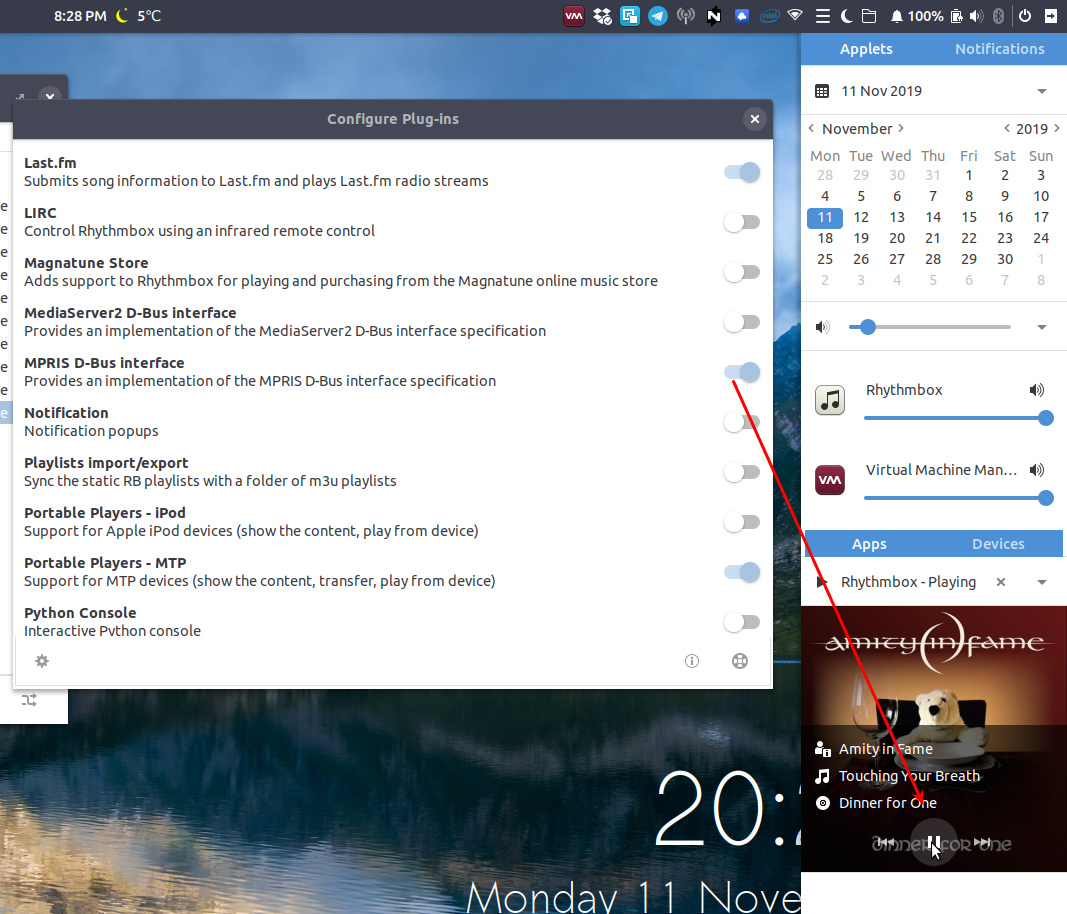
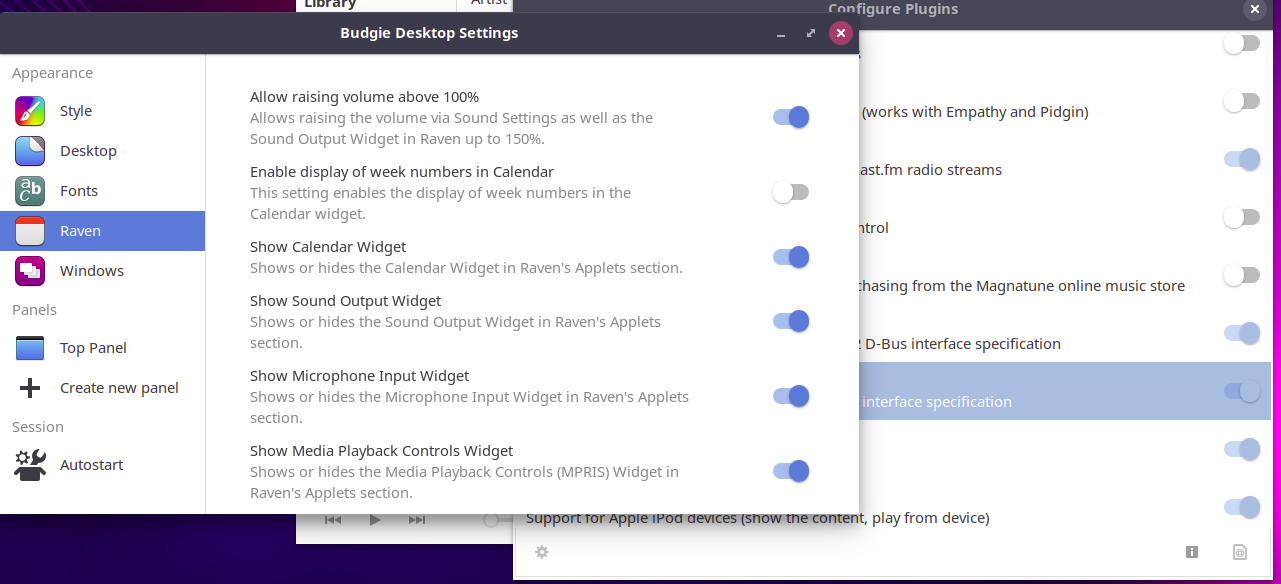
Is there a way to add rhythmbox control to the volume applet? This was a feature in earlier versions of Ubuntu. At one point you could add this feature using dconf-editor. That does not seem possible now.
thanks
garyk
Is there a way to add rhythmbox control to the volume applet? This was a feature in earlier versions of Ubuntu. At one point you could add this feature using dconf-editor. That does not seem possible now.
thanks
garyk
Do check that you have enabled the rhythmbox mpris plugin - it will then appear correctly in Raven.
That plugin does not appear in my Rhythmbox (3.4.2) in Budgie 18.04 I could not find it in Synaptic either. rhythmbox-plugins is installed. Anything else I need to do?
garyk
I was wrong. The plugin is there in Rhythmbox and has been checked. There is no entry in Raven relative to sound other than above 100% option.
garyk
Yes. I said it was displayed in raven…
Yes, you did. I interpreted your statement to refer to the Raven section of Desktop Settings, from which I assume one would then activate the inclusion of Rhythmbox in the volume applet, which where I was wanting to have appear as it once did in Ubuntu. Apparently that is not possible. I did not know there was such a critter as Raven Trigger. Still getting to know Budgie.
thanks again for your help! Muchly appreciated!!
garyk
What seems like eons ago - budgie-remix days - the distro included a system-tray icon

I forked the original project into this repo https://github.com/fossfreedom/rhythmbox-tray-icon
I note that the original project has had a few commits added since I forked - what I don’t know if either project works in modern versions of ubuntu budgie & rhythmbox. I suspect it doesnt and will need updating to work with Rhythmbox 3.x versions.
EDIT: good thing about opensource is that anyone can fork and maintain - I found this fork which according to the dependencies will work with modern rhythmbox versions