How can I reset the countdown timer?

Hi @abbazs!
If I clearly understood what you want, I think you already found it.
Just click on the applet to stop countdown and reset timer:
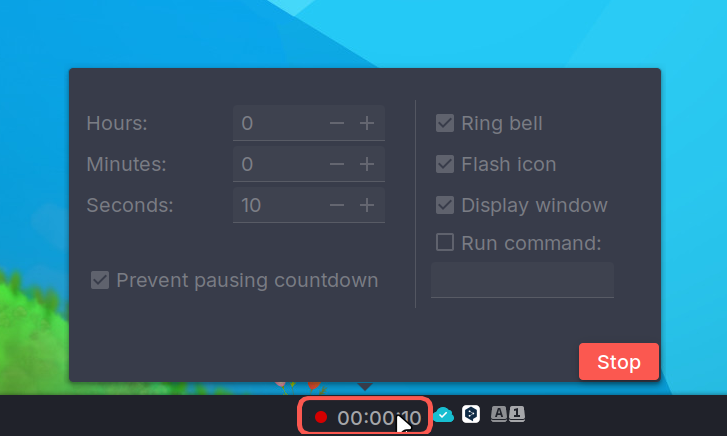


Sure, it was too simple… 
No such issue reported on Github.
Have you tried uninstalling the applet?
sudo apt purge budgie-countdown-applet && sudo autoremove
…and reinstalling it after opening a new session and updating the system?
sudo apt update && sudo apt upgrade && sudo apt install budgie-countdown-applet
In addition to the excellent advice given by @jlb try restarting the panel via rhe following terminal command and do a countdown. Any messages displayed when the countdown completes? (Copy paste the output from the terminal here)
nohup budgie-panel --replace &
Hello, I had run into the same issue (running Void Linux with the budgie-extras package from Cereus). There is indeed an error at the completion of the countdown, it turns out that the applet tried to run ogg123 which I had not installed on my system. Installing vorbis-tools solved the issue for me.