Hi jlb,
Thanks,
forget the older request !
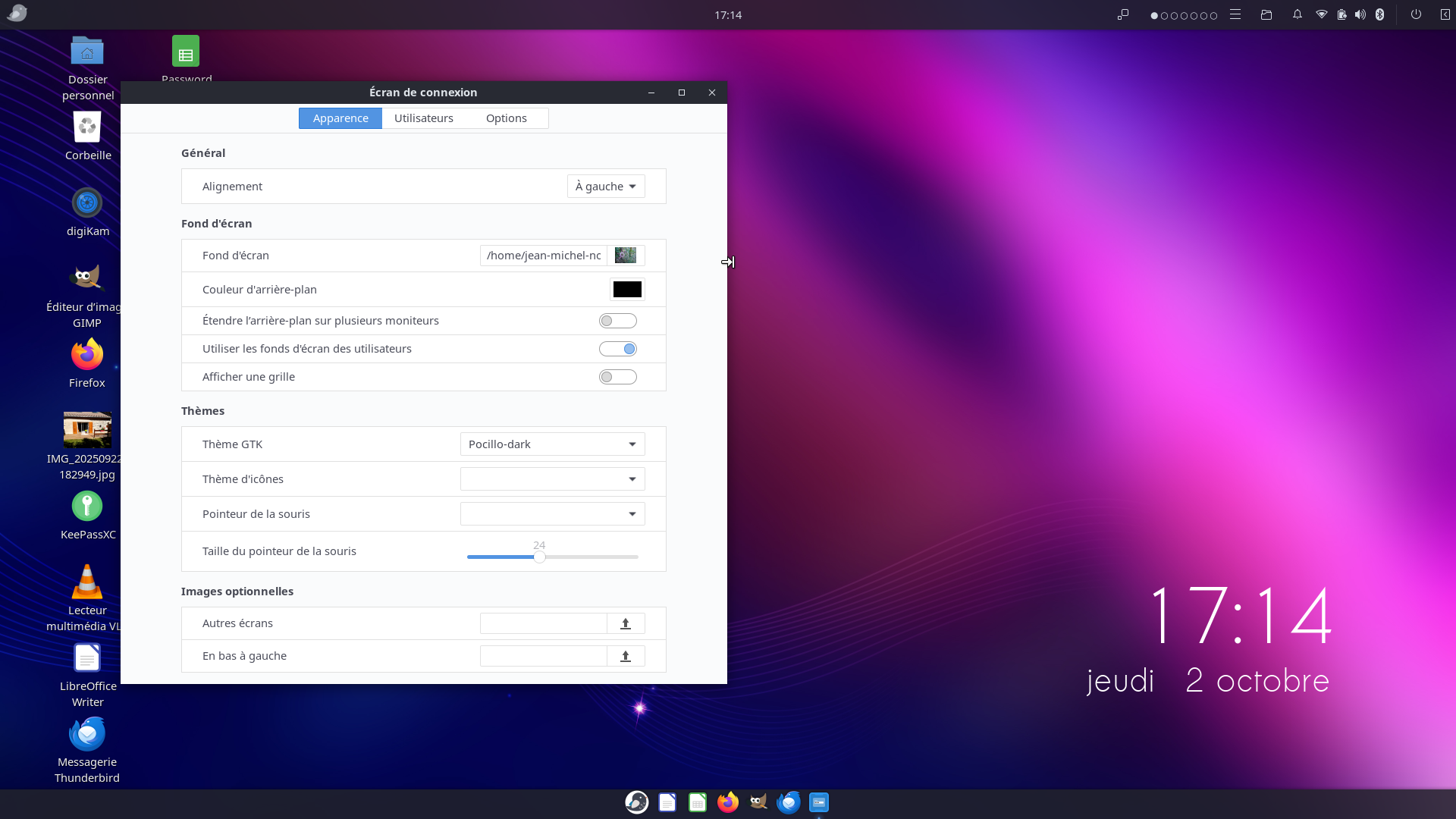
To change the desktop wallpaper-the right click mode doesn’t work on my PC
but the two fingers click does-
even after reading your message, I can reach my home album, but the screen is greyed out as you can see.
Why ???
I’m the only user as admin,
Got a message from Fossfreedom and I will respond him right now.
Thank You for your help in advance.
Jeanmi2A
Ah! You were talking about the background of the login screen!
Unless I’m mistaken, you didn’t specify that, and I thought you were referring to the desktop wallpaper for which I was explaining how to do!
No matter how hard we try, English is not our native language.
For the login screen background, your image must be placed in a system directory (for example, “/usr/share/backgrounds” with the other backgrounds, or in a subdirectory that you can create there if you want to be organized).
This is because, since you are not yet logged in, an image contained in your home directory cannot be displayed.
Hi Fossfreedom,
I checked following your advice but the system did’nt return anything/I’m the only user.
I appreciated Your help and the subject remain open, since I
don’t know how to switch in the login screen from the UB wallpaper to my home album where
my favorite picture is greyed out.
Thank You once again for your help.
Jeanmi2A
Salut Jean,
OK
the desktop wallpaper aka my favorite picture wasn’t at the right place at login,
I should have this in mind when you wrote first !
But the blooming flower wasn’t ready until late september
using GUI mode following your message 17 juin “seamlessly transfer from home directory to system’s”
that’s rejected as shown in today’s attachment. After invoking nemo (sudo -H nemo).
Do You have an idea ?
jeanmi2A
Apart from the fact that I didn’t tell you not to worry about the terminal warnings (I should have told you to right-click in Nemo and choose ‘Open as superuser’), I stand by my explanations.
As proof: the same image, copied and pasted from the “~/Pictures” directory (left) to the “/usr/share/backgrounds” directory (right) with Nemo in dual pane mode and superuser rights.
You already use it without knowing it when you click on the “Files” launcher icon.
“Nemo” is the nickname for a fork of “Nautilus” (makes sense, right?), the GNOME file explorer.
Ubuntu Budgie adopted Nemo (developed by Linux Mint) for aesthetic compatibility reasons with Budgie desktop. As a result, we also gains functionality (dual pane display, for example).
I shouldn’t have made you use the terminal. But what can I say, I can’t help trying to convert people.
Bonjour Jean,
Thank You for Your help, my favorite picture copied on display on login screen !
Excellent explanations, from the teacher !
You may close this subject Jean,
et merci
jeanmi2A
At a price: I 'm screwed up on the elevated privileges panel, (onglets user/ share/ backgrounds on the top bar)
The only working button…shutdown.
An error message “problème de configuration détecté” showed up with the link https://gnunn1.github.io/tilix.web/manual/vte.config that doesn’t exist any more (error 404).
The Budgie disques app shows two Budgie partitions, one mounted only…(both working until now).
Should I use the flash Budgie USB key to repair the Linux partition ?
I’m happy for you! Thanks for the compliments — indeed, I was a teacher in a previous life…
It’s up to you to check the “Solution” box for the message that you think answers your question.
It would probably be better if you edited your message and cut and pasted the part concerning the new problem into a new topic.
I’ll reply there, unless someone else does so before me.
PS: You don’t need a raccourci to Tilix, just type “Ctrl Alt t” instead.